Voice Dictation for API Documentation Writers
Document APIs as fast as you can explain them
Works with your apps
Ottex works system-wide on macOS. Dictate directly into these apps and more.
And any other app that accepts text input. See all supported apps
Why Ottex works for api documentation writers
Concrete benefits with real-world impact
3x Faster Than Typing
Speak 150+ words per minute vs 40 wpm typing. Finish tasks in a third of the time.
Better Context, Better Results
Speaking naturally gives AI agents more context than typing. Describe your intent, explain edge cases, mention file names—your voice carries nuance that typing shortcuts.
Technical Term Accuracy
Cloud AI models excel at technical jargon, code terminology, and specialized vocabulary.
Custom Dictionary
Add names, technical terms, and jargon. Ottex transcribes them accurately every time.
Inline AI Commands
Transform text as you speak: 'Ottex start fix grammar Ottex end'. Edit, improve, translate—all by voice.
Precision Typing
Say 'new paragraph', 'open quote', 'em dash', 'ellipsis'. Full formatting control by voice.
Voice Corrections
Say 'scratch that' to delete mistakes, 'actually' to rephrase. Fix errors without stopping your flow or touching the keyboard.
Works with AI Chatbots
Dictate prompts to ChatGPT, Claude, Perplexity—anywhere you type. Better prompts, better answers.
What you can do
Write Documentation
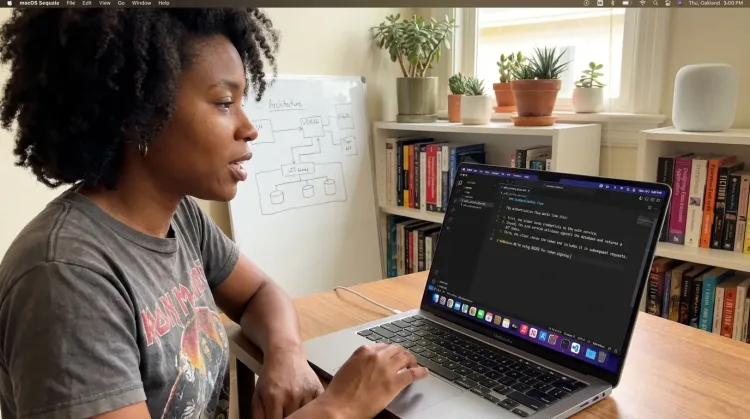
Dictate technical documentation, READMEs, or API docs. Speaking lets you explain context, edge cases, and examples naturally—better docs with less effort.
Works with
Dictate with Formatting
Say 'new paragraph', 'bullet point', 'open quote' and get exactly what you mean. Full formatting control without touching the keyboard.

Prompt ChatGPT & Claude
Dictate prompts to ChatGPT, Claude, Perplexity, or any AI chatbot. Speaking naturally lets you give more context—better context means better results.

Other ways Ottex helps api documentation writers
Reply to Work Messages
Reply to Slack messages 3x faster. Dictate casual updates, detailed explanations, or quick acknowledgments without switching context.

Respond to Comments
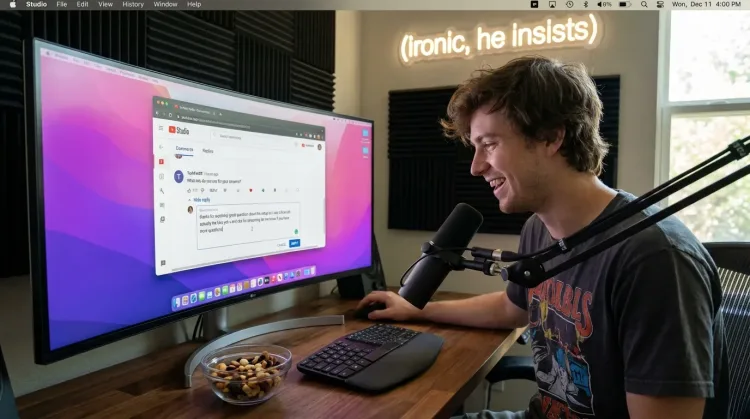
Reply to YouTube comments, Twitter threads, or social media mentions by voice. Stay engaged with your audience without the typing fatigue.
Works with
Capture Ideas Quickly
Speak ideas the moment they hit you. Use Ottex anywhere to capture thoughts, then refine them later.
Works with

Frequently asked questions
Can I dictate API endpoint names and technical terms accurately?+
Yes. Cloud models like Gemini 3 Flash are trained on technical documentation and handle terms like REST, GraphQL, OAuth, JWT, and HTTP methods accurately. For project-specific endpoint names and custom parameters, add them to your custom dictionary once and Ottex transcribes them correctly every time.
How do I format code blocks and API examples by voice?+
Say 'code block' to start a code section, then dictate your example. Say 'end code block' when done. You can also say 'backtick' for inline code, 'open curly brace', 'close bracket', and other syntax elements. Formatting commands give you the structure you need without leaving your flow.
Does it work with documentation platforms like Swagger or Postman?+
Ottex works system-wide on macOS, so it works in any text field—Swagger Editor, Postman documentation, Notion, GitHub wikis, GitBook, Confluence, or wherever you write. Same hotkey everywhere.
Can I use it for writing SDK code samples?+
Yes. Dictate code samples naturally: 'const client equals new API client open paren api key close paren semicolon.' For complex examples, dictate the logic and variable names, then clean up syntax manually. Many writers find dictating the structure and comments is faster than typing everything.
How does this help with AI-assisted documentation workflows?+
Many API doc writers use ChatGPT or Claude to draft endpoint descriptions and examples. Speaking your prompts means you provide more context naturally—'I need documentation for the user authentication endpoint, it takes email and password, returns a JWT with refresh token, and can return 400, 401, or 429 errors.' Better prompts mean better AI output.
Will it understand API-specific terminology?+
Cloud models handle standard API terminology well: REST, GraphQL, webhooks, OAuth, API keys, rate limiting, pagination, etc. For company-specific terms (your API's endpoint names, custom headers, internal service names), use the custom dictionary feature.
Document APIs faster
Download free. Dictate endpoint docs, integration guides, and SDK references naturally.
Try for freeNo credit card required.