Write Candidate Feedback
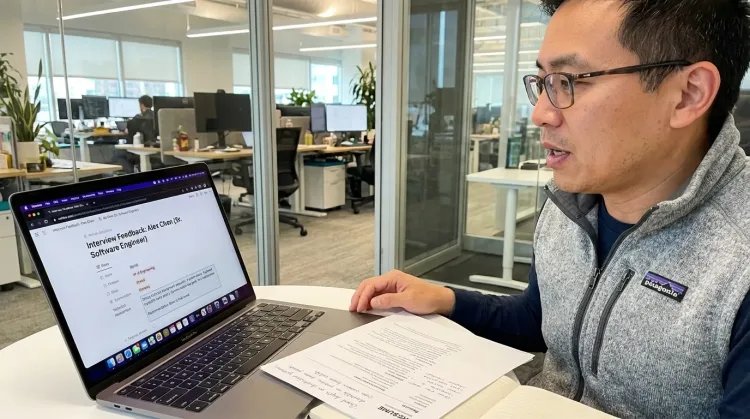
Dictate interview feedback immediately after each call. Speaking lets you capture nuance and context that gets lost when typing quickly.
How it works
Same mic. Different outputs. Your rules.
Hey Tom,
Let's meet at the office tomorrow at 10 a.m. to prepare the presentation.
Press a hotkey
Hit your shortcut in any app. Ottex is ready where you work, without switching windows or breaking your flow.
Say the intent
Speak naturally. Ottex keeps exact dictation when speed matters and applies the right workflow when structure matters.
Get the right output
Ready draft in Gmail. Exact words in ChatGPT. Structured ticket in Linear.
Press a hotkey
Hit your shortcut in any app. Ottex is ready where you work, without switching windows or breaking your flow.
Say the intent
Speak naturally. Ottex keeps exact dictation when speed matters and applies the right workflow when structure matters.
Hey Tom,
Let's meet at the office tomorrow at 10 a.m. to prepare the presentation.
Get the right output
Ready draft in Gmail. Exact words in ChatGPT. Structured ticket in Linear.
Features for interview notes
Everything you need to do this job efficiently
3x Faster Than Typing
Speak 150+ words per minute vs 40 wpm typing. Finish tasks in a third of the time.
Better Context, Better Results
Speaking naturally gives AI agents more context than typing. Describe your intent, explain edge cases, mention file names—your voice carries nuance that typing shortcuts.
Voice Corrections
Say 'scratch that' to delete mistakes, 'actually' to rephrase. Fix errors without stopping your flow or touching the keyboard.
Smart Snippets
Define custom text replacements and shortcuts. Say 'work signature' to expand your full email signature, or 'my address' for your contact info.
Who uses this?
Professionals who rely on Ottex for interview notes
Frequently asked questions
When should I dictate feedback?+
Immediately after the interview, while details are fresh. Press your hotkey and speak for 2-3 minutes — you'll capture more nuance than typing ever would.
Can I use a structured feedback format?+
Yes. Custom modes can enforce your feedback template — sections for technical skills, communication, culture fit, concerns, and recommendation.
Does it work with our ATS feedback forms?+
Yes. Ottex types into any text field — Greenhouse scorecards, Lever feedback forms, Google Forms, or any web-based feedback tool.
How does voice improve feedback quality?+
Speaking lets you describe subtle observations — tone, enthusiasm, problem-solving approach — that you'd skip when typing quickly. Better feedback means better hiring decisions.
Related use cases
Other ways to use Ottex
Respond to Support Tickets
Handle support tickets efficiently. Speaking lets you explain solutions thoroughly—more context means fewer follow-up questions.
Prompt AI Coding Agents
Dictate detailed prompts to AI coding assistants in Cursor, Copilot, or Claude Code. Explain what you need naturally without losing your train of thought.
Prompt ChatGPT & Claude
Dictate prompts to ChatGPT, Claude, Perplexity, or any AI chatbot. Speaking naturally lets you give more context—better context means better results.
Reply to Work Messages
Reply to Slack messages 3x faster. Dictate casual updates, detailed explanations, or quick acknowledgments without switching context.
Voice input that follows your rules.
Get 4+ hours back every week from typing, formatting, and re-prompting AI.
Try for freeNo credit card required.