Respond to Comments
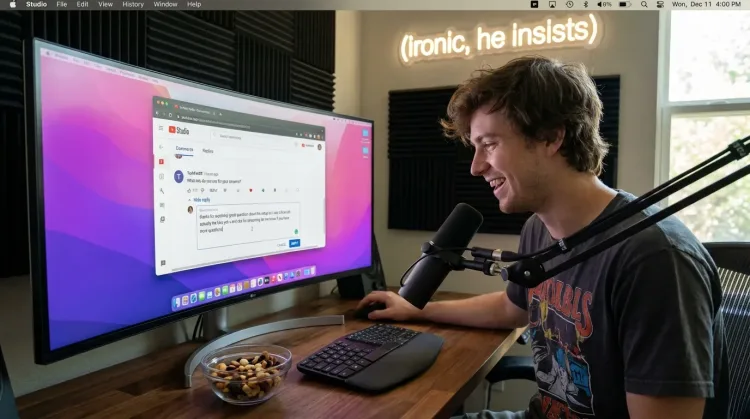
Reply to YouTube comments, Twitter threads, or social media mentions by voice. Stay engaged with your audience without the typing fatigue.
How it works
Same mic. Different outputs. Your rules.
Hey Tom,
Let's meet at the office tomorrow at 10 a.m. to prepare the presentation.
Press a hotkey
Hit your shortcut in any app. Ottex is ready where you work, without switching windows or breaking your flow.
Say the intent
Speak naturally. Ottex keeps exact dictation when speed matters and applies the right workflow when structure matters.
Get the right output
Ready draft in Gmail. Exact words in ChatGPT. Structured ticket in Linear.
Press a hotkey
Hit your shortcut in any app. Ottex is ready where you work, without switching windows or breaking your flow.
Say the intent
Speak naturally. Ottex keeps exact dictation when speed matters and applies the right workflow when structure matters.
Hey Tom,
Let's meet at the office tomorrow at 10 a.m. to prepare the presentation.
Get the right output
Ready draft in Gmail. Exact words in ChatGPT. Structured ticket in Linear.
Features for comment replies
Everything you need to do this job efficiently
3x Faster Than Typing
Speak 150+ words per minute vs 40 wpm typing. Finish tasks in a third of the time.
Voice Corrections
Say 'scratch that' to delete mistakes, 'actually' to rephrase. Fix errors without stopping your flow or touching the keyboard.
App-Specific Modes
Ottex detects which app you're in and adapts. Coding mode in Cursor, casual tone in Slack, professional in Gmail—automatic context switching.
Who uses this?
Professionals who rely on Ottex for comment replies
Content Creators
Speak your ideas. Watch them appear.
Social Media Managers
Volume without burnout. Voice without typing.
Community Managers
Respond faster, stay human
Course Creators
Speak your lessons. Scale your teaching.
YouTubers
Scripts that sound like you. Content at creator speed.
Live Streamers
Stream live. Update faster.
Product Designers
Capture design rationale without leaving the canvas
UX Writers
10 variations in 60 seconds, not 10 minutes
Developer Relations
Create more content, engage more developers
Graphic Designers
Document design decisions without leaving the canvas
Motion Designers
Capture animation notes without leaving the timeline
Online Educators
Teach more. Type less.
Professional Bloggers
Draft posts at the speed of thought. Publish more, stress less.
Podcasters
Your voice creates your show. Let it create everything else too.
Newsletter Writers
Speak your newsletter. Ship every week.
Data Engineers
Document pipelines, debug faster, ship reliable data
Brand Designers
Document brand strategy without breaking creative flow
API Documentation Writers
Document APIs as fast as you can explain them
Frontend Developers
Document components, review PRs, collaborate with designers faster
Frequently asked questions
Does Ottex work with YouTube Studio and social media?+
Yes. Ottex types into any text field on macOS — YouTube Studio comment replies, Twitter/X, Reddit, Instagram DMs, and any other platform in your browser.
Can I reply to lots of comments quickly?+
Yes. Voice dictation is 3x faster than typing. Reply to a comment, move to the next, dictate again — you can engage with dozens of comments in minutes.
Will my replies sound natural and authentic?+
Speaking naturally produces more authentic replies than typing. Your voice conveys your real personality, and Ottex cleans up the filler words while preserving your tone.
Can I handle different platforms with different tones?+
Yes. Custom modes let you set different formatting rules per app — casual for Twitter, thoughtful for YouTube, professional for LinkedIn.
Related use cases
Other ways to use Ottex
Reply to Work Messages
Reply to Slack messages 3x faster. Dictate casual updates, detailed explanations, or quick acknowledgments without switching context.
Write Scripts
Write video scripts, podcast outlines, or screenplays by voice. Speaking your dialogue makes it sound natural from the start.
Write Content Posts
Dictate tweets, LinkedIn posts, blog articles, or newsletters. Turn your thoughts into content faster than ever.
Prompt AI Coding Agents
Dictate detailed prompts to AI coding assistants in Cursor, Copilot, or Claude Code. Explain what you need naturally without losing your train of thought.
Voice input that follows your rules.
Get 4+ hours back every week from typing, formatting, and re-prompting AI.
Try for freeNo credit card required.