Dictate with Formatting
Say 'new paragraph', 'bullet point', 'open quote' and get exactly what you mean. Full formatting control without touching the keyboard.
How it works
Same mic. Different outputs. Your rules.
Hey Tom,
Let's meet at the office tomorrow at 10 a.m. to prepare the presentation.
Press a hotkey
Hit your shortcut in any app. Ottex is ready where you work, without switching windows or breaking your flow.
Say the intent
Speak naturally. Ottex keeps exact dictation when speed matters and applies the right workflow when structure matters.
Get the right output
Ready draft in Gmail. Exact words in ChatGPT. Structured ticket in Linear.
Press a hotkey
Hit your shortcut in any app. Ottex is ready where you work, without switching windows or breaking your flow.
Say the intent
Speak naturally. Ottex keeps exact dictation when speed matters and applies the right workflow when structure matters.
Hey Tom,
Let's meet at the office tomorrow at 10 a.m. to prepare the presentation.
Get the right output
Ready draft in Gmail. Exact words in ChatGPT. Structured ticket in Linear.
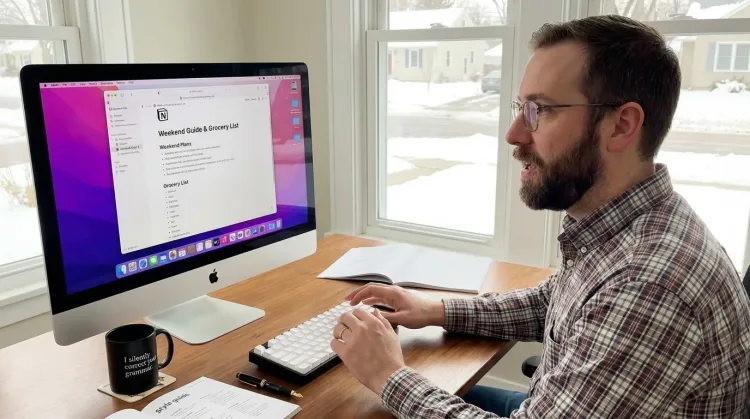
Features for voice formatting
Everything you need to do this job efficiently
Precision Typing
Say 'new paragraph', 'open quote', 'em dash', 'ellipsis'. Full formatting control by voice.
Voice Corrections
Say 'scratch that' to delete mistakes, 'actually' to rephrase. Fix errors without stopping your flow or touching the keyboard.
3x Faster Than Typing
Speak 150+ words per minute vs 40 wpm typing. Finish tasks in a third of the time.
Who uses this?
Professionals who rely on Ottex for voice formatting
Technical Writers
Explain it once, document it perfectly
Social Media Managers
Volume without burnout. Voice without typing.
API Documentation Writers
Document APIs as fast as you can explain them
Screenwriters
Write dialogue that sounds real. Because you spoke it first.
Instructional Designers
Design learning experiences faster. Speak your expertise.
Writers & Authors
Write at the speed of thought
Podcasters
Your voice creates your show. Let it create everything else too.
Newsletter Writers
Speak your newsletter. Ship every week.
YouTubers
Scripts that sound like you. Content at creator speed.
Indie Authors
Write faster. Publish more. Build your audience.
UX Writers
10 variations in 60 seconds, not 10 minutes
Journalists
From interview to article in record time
Ghostwriters
Capture your client's voice. Deliver drafts faster.
Professional Bloggers
Draft posts at the speed of thought. Publish more, stress less.
Frequently asked questions
What formatting commands does Ottex support?+
Say 'new paragraph', 'new line', 'bullet point', 'heading', 'open quote', 'close quote', and more. Ottex converts natural speech into proper formatting.
Can I create my own formatting commands?+
Yes. Custom modes let you define app-specific formatting rules — 'action item' could insert a checkbox, 'code' could open a code block.
Does it work differently in different apps?+
Yes. Ottex detects which app is in focus and applies the right formatting mode. Markdown in Notion, rich text in Google Docs, plain text in Terminal.
Can I dictate structured documents like outlines?+
Absolutely. Say 'heading one', 'heading two', 'bullet point' and build structured documents entirely by voice. Ottex handles the hierarchy.
Related use cases
Other ways to use Ottex
Write Meeting Notes
Dictate meeting notes in real-time or right after. Capture action items, decisions, and key points while they're fresh in your mind.
Write Research Notes
Dictate research notes, literature summaries, or analysis. Capture your thinking process without losing momentum to typing.
Write Scripts
Write video scripts, podcast outlines, or screenplays by voice. Speaking your dialogue makes it sound natural from the start.
Write PRDs & Specs
Dictate product requirements, feature specs, or design docs. Speaking lets you explain the full context—edge cases, user flows, and rationale—naturally.
Voice input that follows your rules.
Get 4+ hours back every week from typing, formatting, and re-prompting AI.
Try for freeNo credit card required.